
Old photographs hold priceless memories, but most of them are faded, black-and-white, or low quality. Today, with advanced AI tools like Google Gemini, you can restore these images into stunning, realistic, high-quality portraits that look like they were captured with modern professional cameras.
In this guide, you’ll learn how to transform old images into cinematic, realistic color photos using a powerful AI prompt.
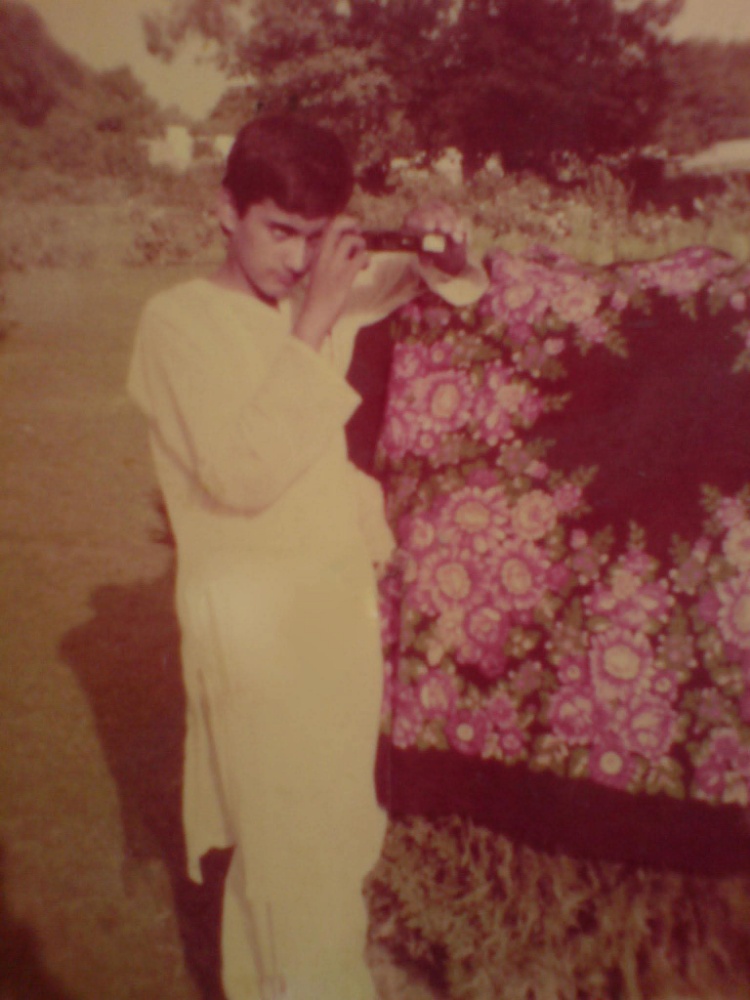
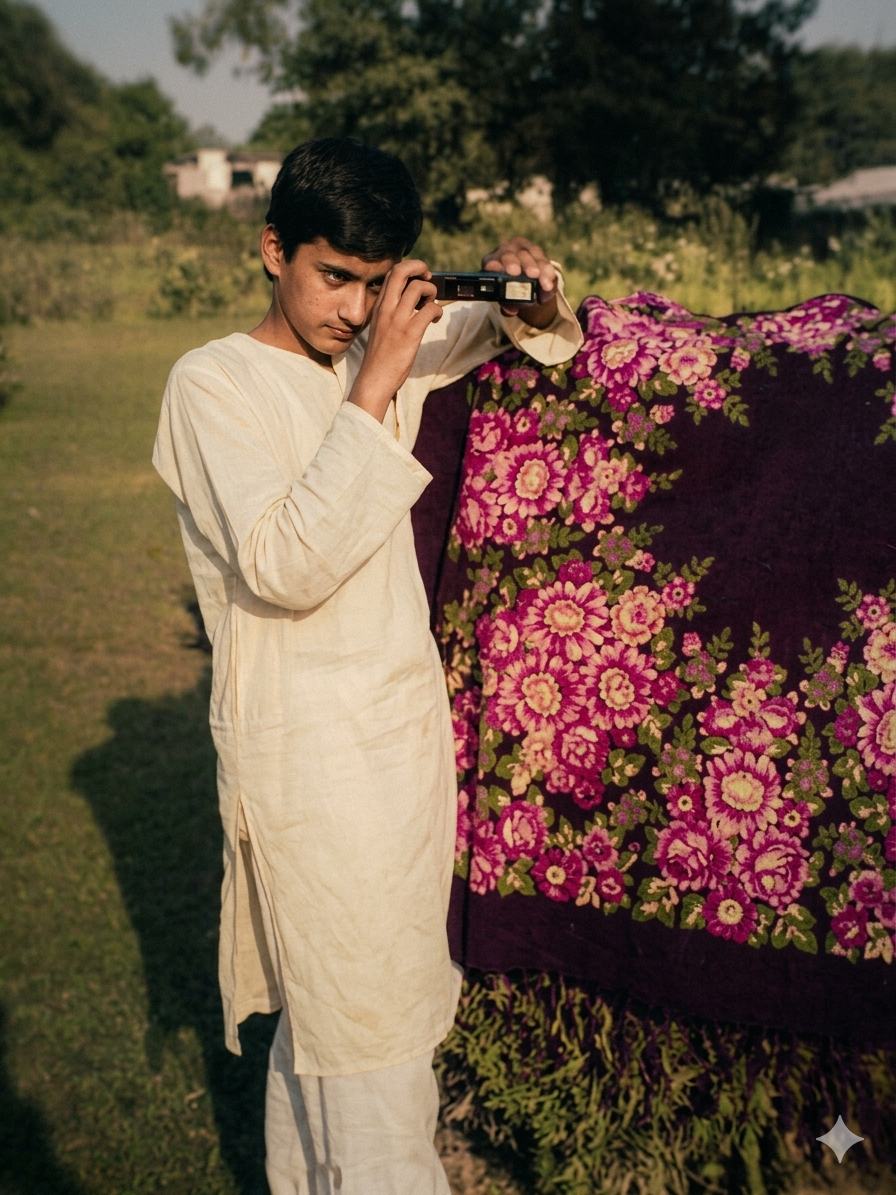
What This Method Does
This AI prompt is designed to:
- Restore old or low-quality portraits
- Maintain original identity and facial structure
- Add realistic color grading and lighting
- Convert images into cinematic, professional-quality portraits
- Keep background unchanged and authentic
- Produce DSLR-level realism
Unlike simple colorization tools, this method focuses on identity preservation + cinematic enhancement, making the result look natural, not AI-generated.
The Power of Gemini AI for Image Restoration
Google’s Gemini AI is capable of advanced image understanding and generation. It can analyze facial structure, lighting, and depth, then rebuild the image with enhanced realism while preserving identity.
This makes it ideal for:
Old family photos
Vintage portraits
Damaged or faded images
Black-and-white restoration
Low-resolution pictures
Copy This Powerful Gemini Prompt for restore old image
Use the following prompt exactly as it is for best results:
					Enhance the portrait while strictly preserving the subject's identity with accurate facial geometry. Do not change their expression or face shape. Only allow subtle feature cleanup without altering who they are.
Keep the exact same background from the reference image.
No replacements, no changes, no new objects, no layout shifts.
The environment must look identical.
The image must be recreated as if it was shot on a Sony A1, using an 85mm f1.4 lens, at f1.6, ISO 100, 1/200 shutter speed, cinematic shallow depth of field, perfect facial focus, and an editorial-neutral color profile.
This Sony A1 + 85mm f1.4 setup is mandatory. The final image must clearly look like premium full-frame Sony A1 quality.
Lighting must match the exact direction, angle, and mood of the reference photo. Upgrade the lighting into a cinematic, subject-focused style: soft directional light, warm highlights, cool shadows, deeper contrast, expanded dynamic range, micro-contrast boost, smooth gradations, and zero harsh shadows.
Maintain neutral premium color tone, cinematic contrast curve, natural saturation, real skin texture (not plastic), and subtle film grain. No fake glow, no runway lighting, no oversmoothing Render in 4K resolution, 10-bit color, cinematic editorial style, premium clarity, portrait crop, and keep the original environmental vibe untouched.
Re-render the subject with improved realism, depth, texture, and lighting while keeping identity and background fully preserved.
NEGATIVE INSTRUCTIONS:
No new background.
No background change.
No overly dramatic lighting.
No face morphing.
No fake glow.
No flat lighting.
No over-smooth skin.

don't change any face feature
Best Use Cases
This prompt works best on:
Family heritage photos
Old studio portraits
Historical personal images
Passport-style vintage photos
Low-quality scanned prints
Why This Prompt Works So Well
The strength of this prompt lies in its balance:
Strict identity control → prevents face distortion
Professional camera simulation → Sony A1 + 85mm lens realism
Cinematic lighting instructions → adds depth and emotion
Negative prompts → remove AI artifacts and fake enhancements
This ensures the final output looks like a real high-end photoshoot, not an AI edit.
Pro Tips for Better Results
Use high-resolution input images if possible
Avoid heavily damaged faces for best accuracy
Try different lighting moods (morning / studio / golden hour)
Always keep “identity preservation” instructions unchanged
Copy This Powerful Gemini Prompt for Professional Image
Use the following prompt exactly as it is for best results:
					Ultra-premium professional image enhancement.

Preserve 100% original identity, face structure, expression, pose, clothing, accessories, background, framing, and composition.

Do NOT alter, redesign, replace, or add anything.

Transform the uploaded low-quality, blurry image into extreme high-detail cinematic quality.

Recover micro-details:

sharp facial features

crisp eyes

natural skin texture

visible pores

realistic hair strands

clean refined edges

High-contrast clarity, deep depth, and balanced cinematic lighting. Poster-grade realism with dramatic but accurate detail. Photorealistic textures only. True-to-source enhancement only.

Output in 8K resolution, ProRes

quality, studio-level sharpness.

Keep everything exactly the same

only enhance quality.