
AI image editing has evolved beyond simple filters. Now, with Google Gemini, you can realistically transfer outfits from one image to another while keeping the subject completely unchanged.
This technique is widely used in:
- Fashion editing
- E-commerce product previews
- Social media content creation
- Virtual styling
- AI model visualization
In this guide, you’ll learn how to apply clothing from one image onto another person while keeping everything natural and photorealistic.
What This AI Outfit Swap Does
This prompt allows you to:
- Keep the original person unchanged
- Transfer clothing from a reference outfit image
- Maintain fabric texture and folds
- Preserve lighting and environment
- Match real-world clothing fit and proportions
- Produce DSLR-level realistic output
Unlike basic editing tools, this method ensures perfect identity preservation + realistic outfit mapping.
How It Works
You will use two images:
- 🧍♂️ Image 1: Base image (person)
- 👕 Image 2: Outfit reference (clothing)
The AI will:
- Detect body shape
- Analyze outfit structure
- Transfer clothing only (not identity)
- Rebuild image with realistic lighting + fabric physics
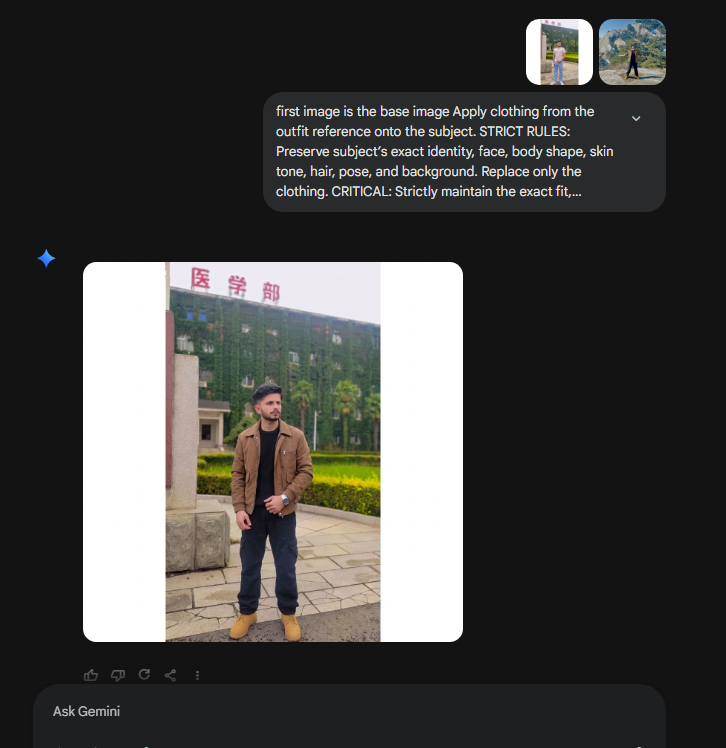
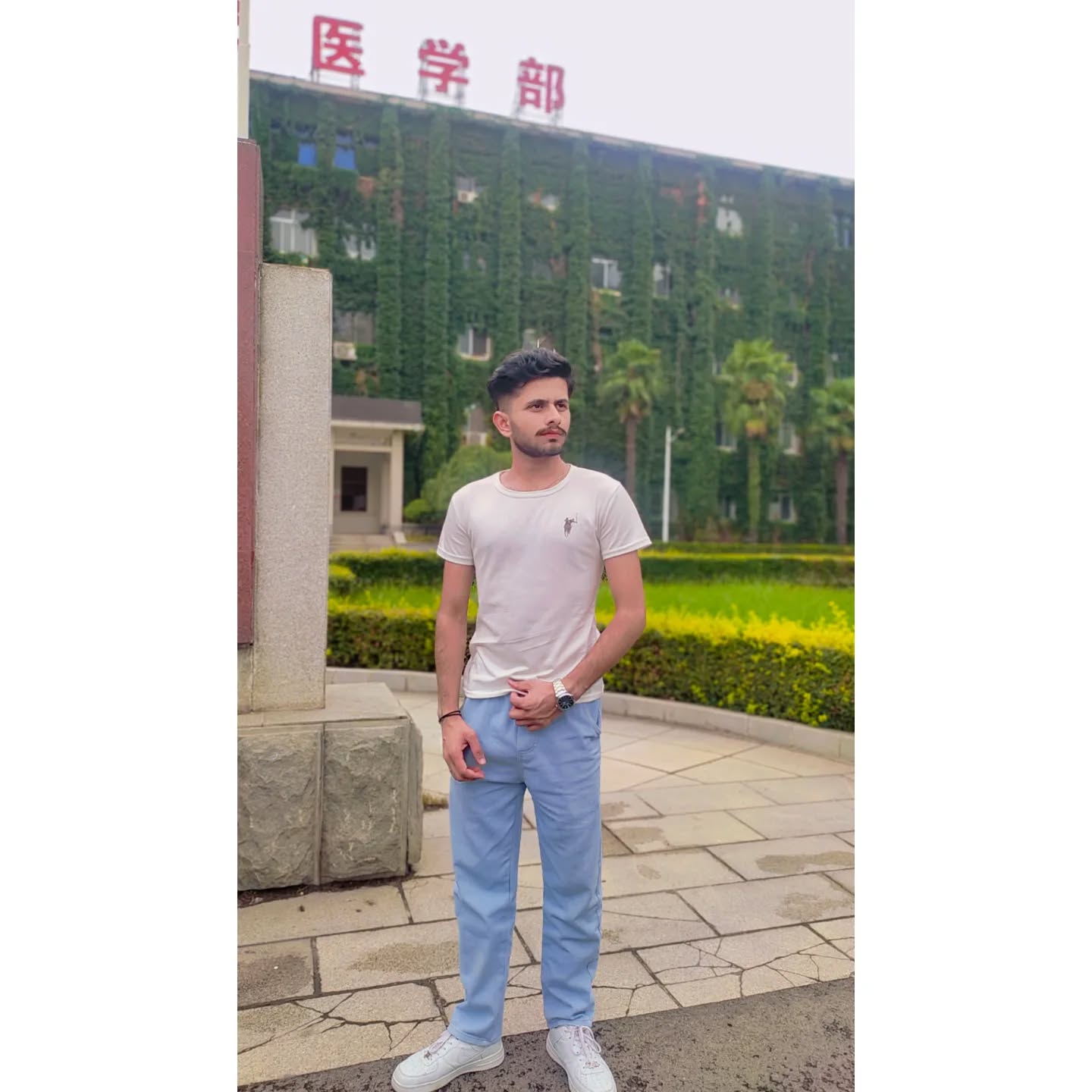
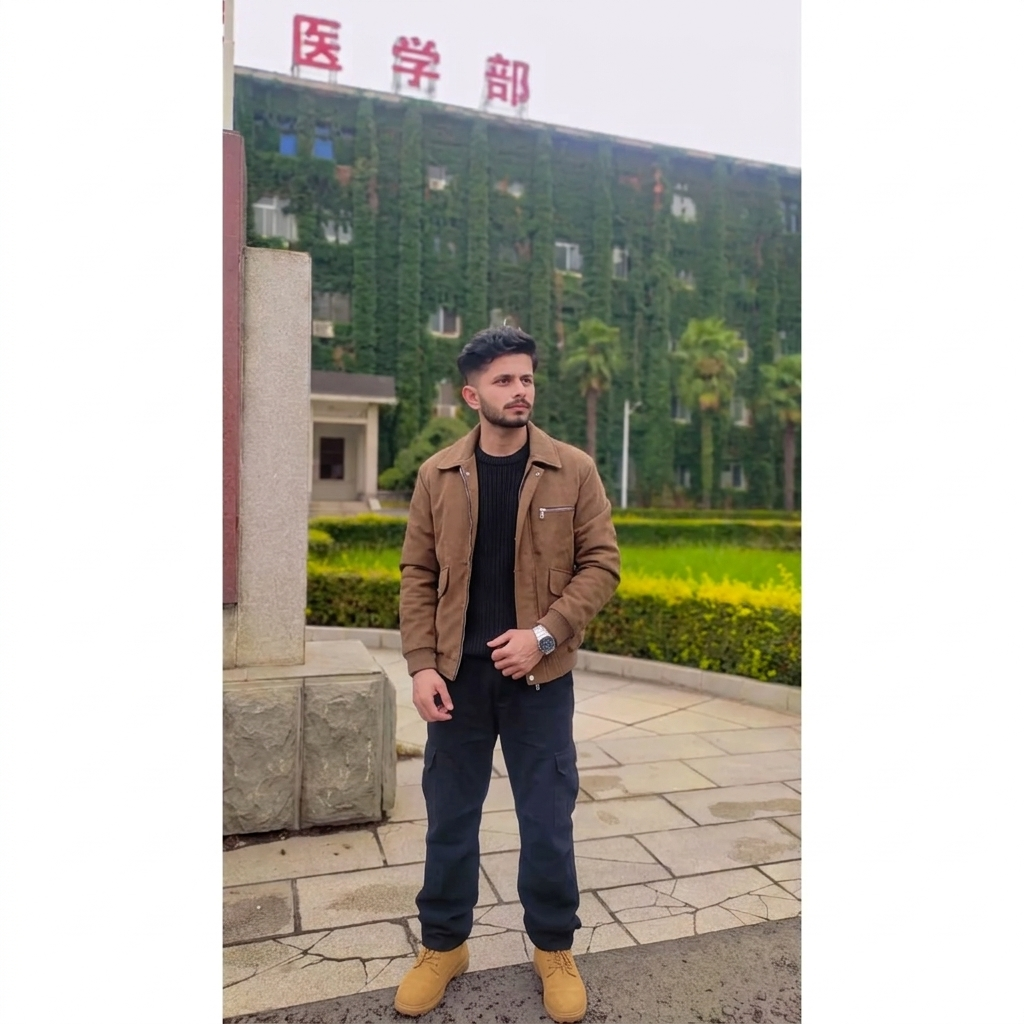
Copy This Gemini AI Outfit Swap Prompt
Use exactly as shown below:
first image is the base image Apply clothing from the outfit reference onto the subject. STRICT RULES: Preserve subject’s exact identity, face, body shape, skin tone, hair, pose, and background. Replace only the clothing. CRITICAL: Strictly maintain the exact fit, silhouette, and looseness of the reference outfit—if it is baggy, oversized, or slim, it must remain exactly so on the subject. Ensure correct proportions, drapes, folds, and realistic fabric textures. Seamlessly match the original photo’s lighting, perspective, and color grading. Retain outfit accessories. Photorealistic, 8K DSLR quality, seamless blending. Do not modify original garment style. second image is the outfit to apply
Best Use Cases
This AI outfit swap works best for:
- Fashion influencers
- Online clothing stores
- AI model previews
- Instagram content creators
- E-commerce product mockups
- Style experimentation
Why This Prompt Works So Well
This prompt is powerful because it enforces strict rules:
✔ Identity Lock
The face, body, and pose never change
✔ Clothing-Only Edit
Only outfit is replaced, nothing else
✔ Realistic Fabric Physics
AI must preserve:
- folds
- drapes
- looseness
- fit style
✔ Lighting Consistency
Prevents “fake cut-and-paste” look
Pro Tips for Best Results
- Use high-resolution images for both inputs
- Make sure outfit image is clearly visible
- Avoid extreme angle differences
- Use neutral lighting images for best blending
- Keep pose similar for more accurate results